TikTok Profile Picture Downloader
Download any TikTok profile picture (PFP) in full HD size. Free, no login, no app. Paste the profile link and save the photo on iPhone, Android or PC.
Toolzin is not affiliated with TikTok™. We respect privacy — Toolzin do not host any content, only public content is available.
Similar Tools
Download Full-Size TikTok Profile Picture
Are you tired of seeing a tiny TikTok profile picture and wishing you could view it in full size? Look no further! TikTok Profile Picture Saver is the easiest way to download TikTok profile pictures in high resolution with just a few clicks. No technical skills, no complicated steps, and absolutely free for everyone.
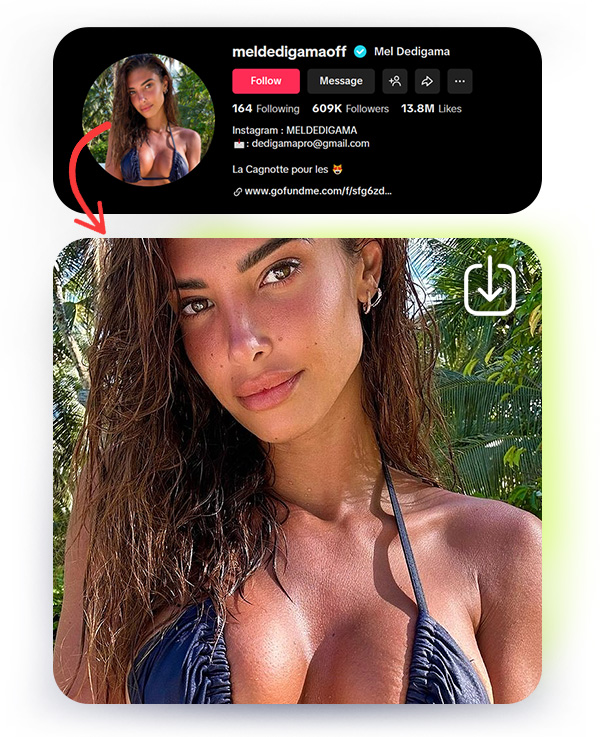
Why You Need a TikTok Profile Picture Downloader
TikTok is one of the fastest-growing social media platforms in the world, with millions of users sharing creative videos daily. While TikTok makes it easy to view content, it doesn’t allow users to download profile pictures directly. That’s where our TikTok Profile Picture Saver comes in.
- View full-size TikTok profile pictures instantly
- Download profile photos to your device
- Save images for offline use
- Use profile pictures for personal or research purposes
With our tool, you can:
Whether you want to see your favorite creators’ profiles more clearly or download your own profile picture, this tool is perfect for everyone.
How to Use TikTok Profile Picture Saver
Using the TikTok Profile Picture Downloader is extremely simple and fast. Just follow these steps:
- Copy the TikTok profile link: Open the TikTok profile you want and copy its link, for example https://www.tiktok.com/@username (in the app: Profile, then the share icon, then Copy link).
- Paste the link: Paste it into the box on this page.
- Click "Download": The tool fetches the full-size profile picture that TikTok provides.
- Save the picture: Press the download button under the picture. On a phone you can also long-press the image and choose to save it.
No registration, no login, and no software installation required. It works 100% online on any device, including PC, Android, or iPhone.
Features of TikTok Profile Picture Saver
Our tool is packed with powerful features to make your experience smooth and hassle-free:
💲
Free to Use
Unlike other apps or services, you don’t have to pay or sign up. Download TikTok profile pictures for free. Free use has fair-use limits.
📸
High-Resolution Images
Get full-size, high-quality TikTok profile photos. No more blurry or tiny images. Perfect for personal use or social media projects.
📱
Works on All Devices
Whether you are on a mobile phone, tablet, or computer, our TikTok Profile Picture Downloader works flawlessly. No extra apps needed.
🚀
Fast and Easy
Get any TikTok profile picture in just a few seconds. No waiting, no complicated steps, just instant downloads.
🔑
No Login Required
Enjoy full access without signing in. No account needed, just fast and easy access whenever you need it.
🔐
Privacy and Security
Toolzin does not store the images you download. The profile link you submit is processed on our servers and may be logged to run the service and fix problems. See our Privacy Policy.
Benefits of Downloading Profile Photos
Downloading TikTok profile pictures has many benefits for different users:
- Social Media Managers: Need to view profiles in full size for content research or marketing campaigns.
- Content Creators: Want to save profile pictures for inspiration or design purposes.
- Fans and Followers: Simply admire their favorite TikTok creators in full resolution.
- Personal Use: Keep a backup of your own TikTok profile pictures or check how your profile looks in high resolution.
How to Download a TikTok Profile Picture
Download any public TikTok profile picture in full size — fast, free, and no login required. Save the profile photo as a JPG instantly.
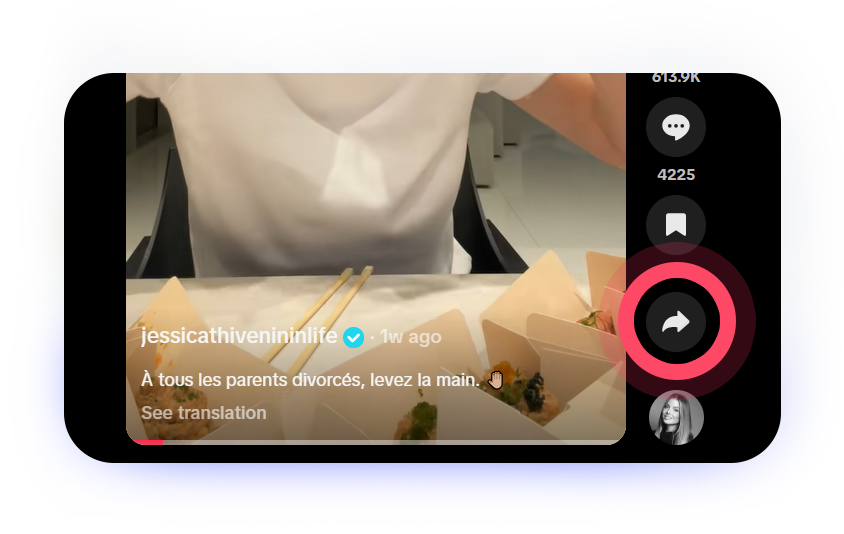
Copy URL of Post or TikTok Profile you want to save.
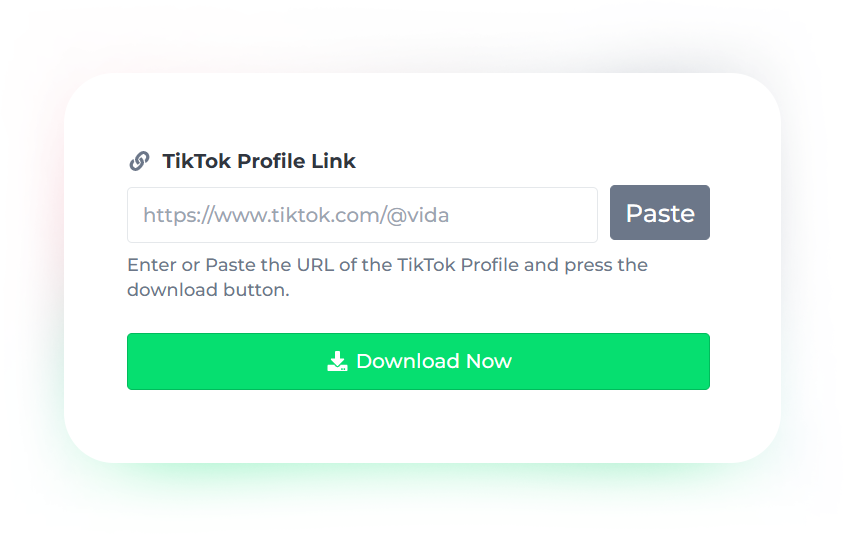
Paste the Link and Tap on "Download Now"
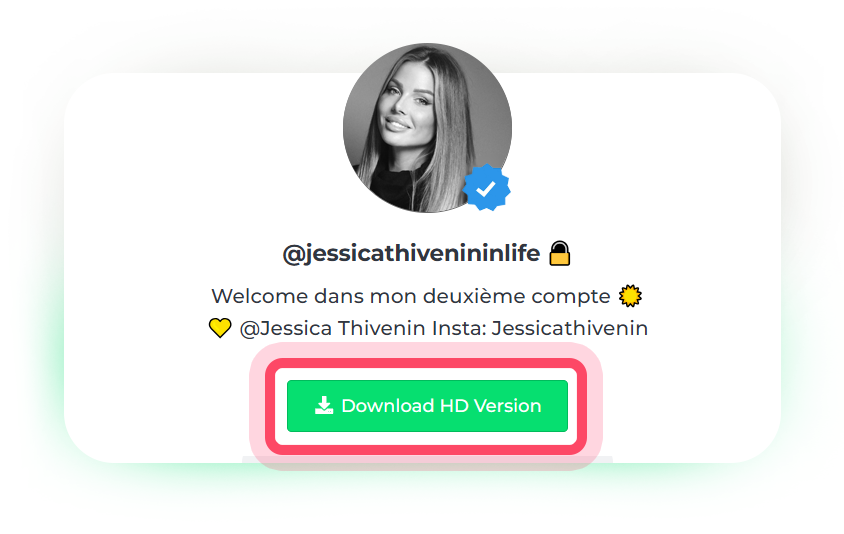
The Profile Photo ready to Download and save.
Why Choose Our TikTok Profile Picture Saver?
There are many TikTok profile downloaders online, but here’s why our tool stands out:
- Free to Use – No sign-up needed. Free use has fair-use limits and Premium removes them.
- No Ads in the Download Form – the box where you paste the link is kept free of ads.
- Fast Processing – Get your image in seconds.
- Cross-Platform Compatible – Works on Windows, Mac, Android, iOS, and all browsers.
- User-Friendly Interface – Simple and easy design, anyone can use it without confusion.
FAQ
Is TikTok Profile Picture Saver free?
Yes! Our tool is free for everyone. Free use has fair-use limits and Premium removes them.
Can I download someone else’s TikTok profile picture?
Yes, but always respect privacy and copyright. Do not misuse images for illegal purposes.
Do I need to install any app or software?
No! This is a 100% online tool. Works on all devices without installation.
Can I download my own TikTok profile picture?
Absolutely! Just paste your profile link and download your own profile picture in full size.
Is it safe to use?
Yes. Toolzin does not store the images you download. The profile link you submit may be logged to run the service and fix problems. See our Privacy Policy.
TikTok DP, PFP & Profile Photo: One Tool
People search for the same thing with different words: TikTok DP download, TikTok PFP downloader, TikTok profile photo download or TikTok profile picture viewer. They all mean the same: opening the account picture in a larger size and saving it. TikTok only shows a small circle in the app, so this tool fetches the full-size version that TikTok provides for public profiles.
Where Is the Picture Saved?
On Android the file goes to your Downloads folder (or Gallery, depending on your browser). On iPhone, open the page in Safari, press download and find the image in Files. If it opens in a new tab instead, long-press it and choose Add to Photos. On a computer it downloads like any other file.
It Does Not Work: What to Check
- Use the link of the profile (it contains @username), not a shortened or app-only link.
- The account must exist and be reachable. Banned or deleted accounts cannot be fetched.
- Free use has fair-use limits and may show a robot check. Wait a minute and try again.
Need profile pictures from other apps? Try the Threads Downloader (profile pictures, photos and videos), the WhatsApp DP Downloader or the Instagram Downloader.
Start Downloading TikTok Profile Pictures Today
Don’t settle for tiny, blurry images. With TikTok Profile Picture Saver, you can get high-resolution profile photos instantly, on any device, and completely free.
Whether you’re a fan, a creator, or a social media manager, our tool is designed to make your TikTok experience better and easier.
Try it now and get any public TikTok profile picture in a few seconds.
📌 Pro Tip: Bookmark this page for instant access whenever you need to download a TikTok profile picture.
Looking for more from TikTok? Try our TikTok Thumbnail Downloader or the TikTok Downloader.