Instagram Audio Downloader
Instagram audio downloader: save Reels audio, music & songs as MP3 in seconds. Free, no login, no app — works on iPhone, Android & PC.
Toolzin is not affiliated with Instagram™. We respect privacy — Toolzin do not host any content, only public content is available.
Similar Tools
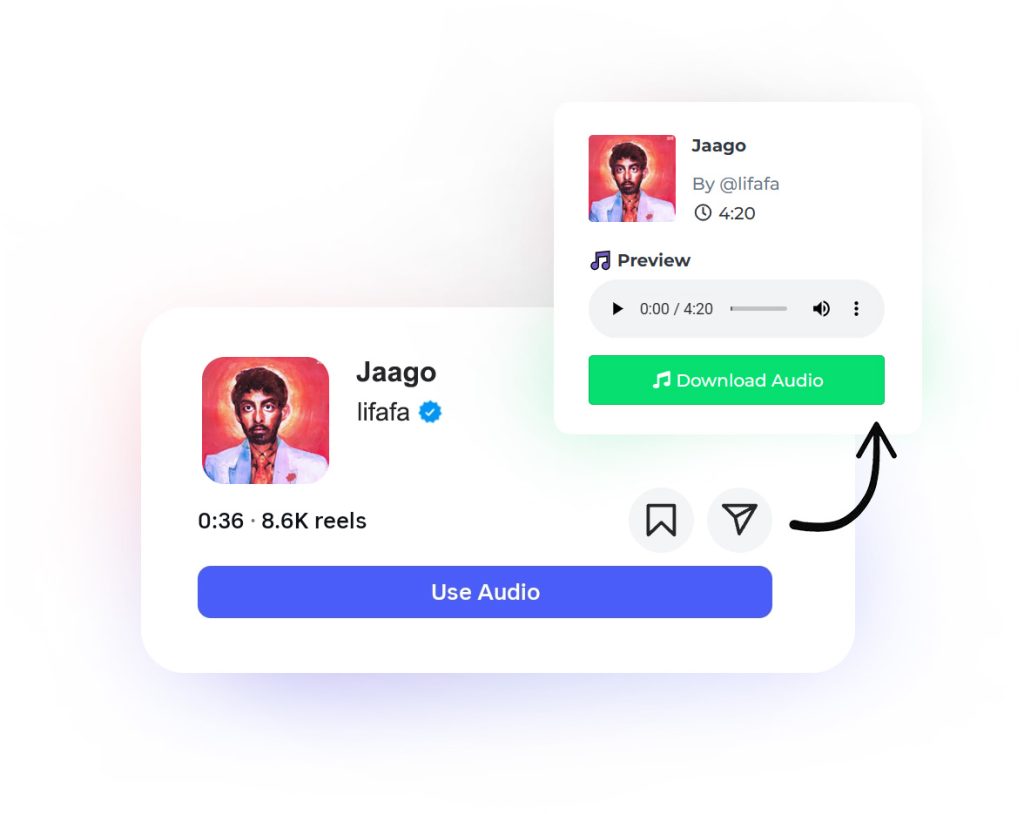
Save & Download Audio from Instagram Reels
Have you ever heard a catchy song or voice on an Instagram Reel and wanted to download its audio instantly?
Our Instagram Audio Downloader is a fast, simple way to save audio from Instagram videos and download as MP3 format. No app installation required — just paste the link and download the reel's audio directly to your device.
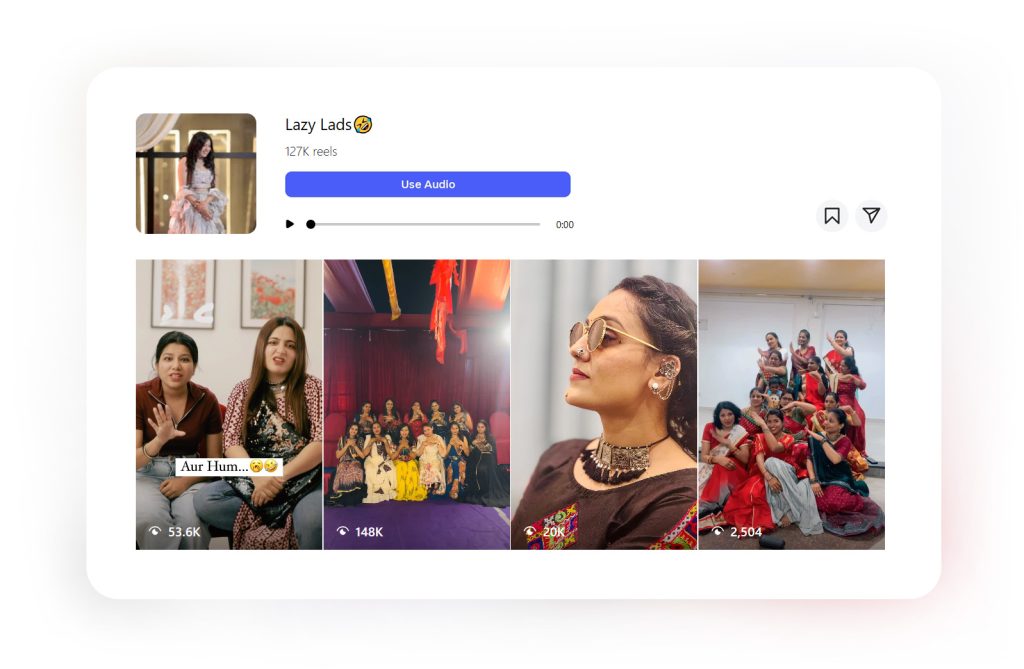
What Is an Instagram Audio Downloader?
An Instagram Audio Downloader is an online tool that lets you download MP3 sound from Instagram videos. Whether it’s a trending song, a podcast snippet, or a voiceover, you can easily download and reuse the audio for your own projects — like editing, remixing, or adding background music to your videos.
Convert Instagram Video to MP3 online
Want to Download audio from Instagram videos as MP3? Toolzin lets you convert any video or reel into MP3 file instantly. You can also use this Instagram Audio Downloader as an Instagram music saver or song extractor — perfect for saving background music from any Reel or Story.
Features & Benefits
Unlike many tools that require sign-ups or extensions, our downloader works 100% online and supports all devices — mobile, tablet, and desktop.
✅ Download Audio from Reels, Posts & Stories – Save audios from any public IG post.
✅ Convert to MP3 in Seconds – Instantly convert Instagram video and download its MP3.
✅ No App or Login Required – Paste the link and start downloading right away.
✅ Works on All Devices – iPhone, Android, Windows, or Mac — all supported.
✅ Completely Free – No hidden charges or limitations, fully FREE.
🎵 How to Download Audio
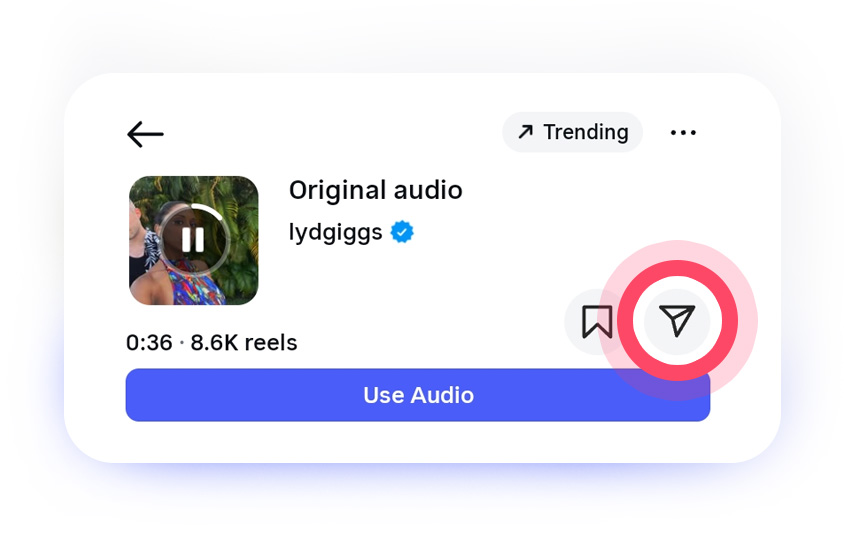
1. Copy the Instagram link of the Audio, Reel or Photo.
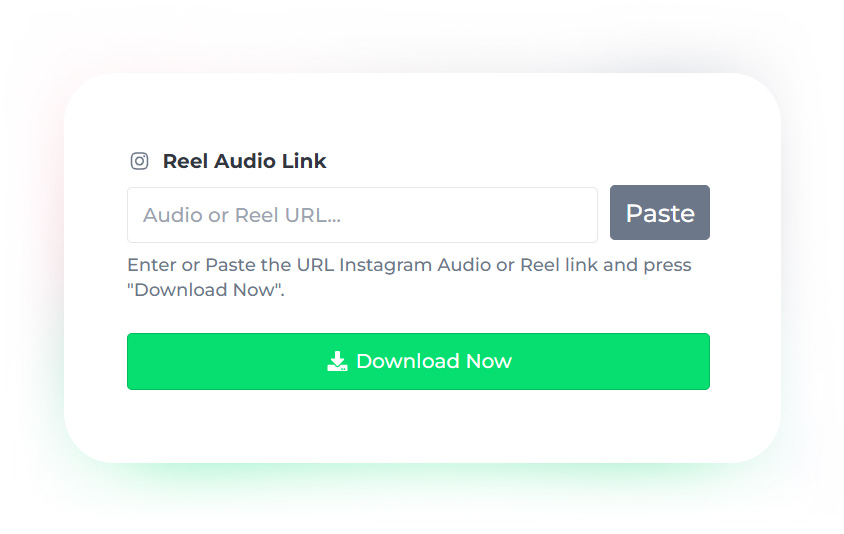
2. Paste the URL into the input box and click download now.
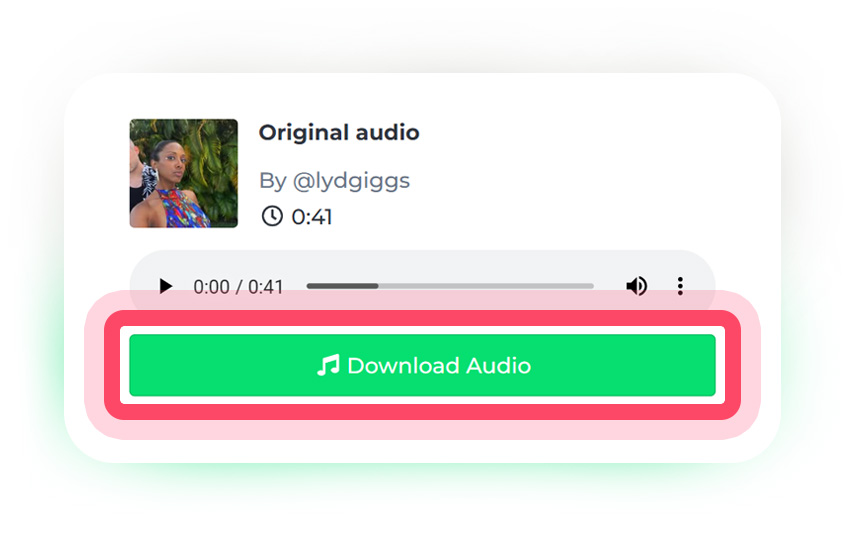
3. Save the audio file and enjoy your favorite audio offline.
It’s that simple — no complex software or sign-ups needed!
💡 Why Use Our Instagram Audio Downloader?
There are many tools for Instagram audio download, but a lot of them only accept video or Reel links. Toolzin also accepts audio page links (instagram.com/reels/audio/…) alongside Reel, post and Story links, and converts the sound to a 320 kbps MP3.
Whether you want to download music or audio from Reels, Story, IGTV, etc. this downloader does it all.
We respect your privacy: Toolzin does not store the audio files you download. The link you submit is processed on our servers and may be logged to run the service and fix problems. See our Privacy Policy.
📱 Supported Formats
IG Audio Saver support Reel and Audio URLs that you shared from Instagram, even can extract audio from videos, reels and stories! The tool converts the audio to a 320 kbps MP3 and provides it for you to save with a single tap! 👆🏻📥
With our Instagram Audio Downloader, you can save any sound, audio or music you love from Instagram quickly. Whether you’re a content creator, editor, or just a music lover, this tool makes it simple to download Instagram Reels audio in just one click.
How to Copy an Instagram Link (Phone & Computer)
Not sure where to find the link? It takes two taps:
- Instagram app (iPhone & Android): open the Reel or post, tap the Share (paper plane) icon, then tap Copy link.
- Reel audio page: tap the song name at the bottom of the Reel, then tap Share → Copy link.
- Computer: open the Reel in your browser and copy the address from the address bar (or click the ⋯ menu → Copy link).
Then paste it into the box at the top of this page and press Download Now. That's the whole copy-paste process, with no extension and no app.
320 kbps MP3 Quality, Converted for You
Instagram doesn't hand out MP3 files, it serves audio inside the video. Toolzin does the conversion for you: the sound is extracted and converted to a 320 kbps MP3, the highest standard MP3 bitrate, so your file is ready to drop into a video editor, a music app or your phone's library. The result is an audio-only file, so there is no video, no watermark and no overlay on it.
Toolzin vs. Typical Instagram Audio Downloaders
| Feature | Toolzin | Typical other tools |
|---|---|---|
| Login or sign-up needed | No | Often yes, or limited uses |
| App or browser extension | Not needed, works in any browser | Frequently required |
| Output | 320 kbps MP3 | Varies, often lower quality or video only |
| Reels, Posts, Stories & audio links | Supported (public content) | Many don't accept audio page links |
| Works on iPhone, Android & PC | Yes | Varies |
| Price | Free | Free with ads, or paid |
Comparison is general, based on the kinds of tools commonly found online.
Common Ways People Use Downloaded Instagram Audio
- Saving a trending Reel sound to use as background music in your own edits.
- Keeping a voiceover, podcast clip or interview from a video for offline listening.
- Building a playlist of songs you first heard on Reels.
- Recovering a Reel's audio when it is unavailable in your country or its music licence has changed. See Instagram music isn’t available in your region: how to fix it.
Please only download and reuse audio you have the right to use. Respect the original creators and copyright.
Looking for the video or the cover image too? Try our Instagram Video Downloader, Instagram Thumbnail Downloader or the all-in-one Instagram Downloader, or browse the other free downloaders on Toolzin.
Supported Links & How It Works
Last reviewed: October 13, 2026. Here is exactly what Toolzin accepts and what you get back.
| Link type | Example format | What you get |
|---|---|---|
| Reel | instagram.com/reel/… | 320 kbps MP3 of the Reel's sound |
| Video post | instagram.com/p/… | 320 kbps MP3 of the video's audio |
| Story (public) | instagram.com/stories/… | 320 kbps MP3 of the Story's audio |
| Reel audio page | instagram.com/reels/audio/… | 320 kbps MP3 of that audio track |
Want to watch or save the whole story instead of just its sound? Use our Instagram Story Viewer.
- You paste an Instagram link into the box.
- Toolzin looks up the public media behind that link.
- The audio is extracted and converted to a 320 kbps MP3 that you can play and save.
Limits: only public content is supported, private accounts can't be downloaded, and the MP3 can't sound better than the audio originally uploaded to Instagram.
Instagram Song Download: Save Songs & Music from Reels
Most Reels use a song or a sound. If you hear one you like, you can turn it into an MP3 in a few taps: copy the link of the Reel (or of its audio page), paste it into the box at the top of this page and press Download Now. The same method works for music, voice-overs and original sounds.
Can I get the full song?
You get the audio exactly as Instagram provides it. For a normal Reel that is the whole sound of the Reel. For licensed songs, Instagram often hosts only the part of the song that can be used in Reels, so the MP3 can't be longer than that clip. The file itself is converted to 320 kbps.
How to Find the Name of a Song Used in a Reel
- Open the Reel.
- Look at the bottom-left corner: the song or audio name is shown next to a small music note.
- Tap it to open the audio page, which shows the title, the artist and the Reels that use it.
- Tap Share → Copy link to get the audio link, then paste it into the box above.
If it says "Original audio", the sound was recorded by the creator and there is no separate song title.
How to Use Instagram Audio as a Ringtone
After downloading the MP3 you can set it as your ringtone. Menu names vary by phone and system version:
- Android: open Settings → Sound (or Sounds and vibration) → Phone ringtone, then add or choose the MP3 from your files.
- iPhone: ringtones must be 30 seconds or shorter. Import the MP3 into GarageBand, trim it, then use Share → Ringtone and pick it under Settings → Sounds & Haptics → Ringtone.
Tip: trim the part you like (the hook) in any audio editor first, so the ringtone starts at the best moment.
Use Instagram Audio as Background Music in Your Videos
Creators often save a Reel's sound to use it in their own edits. Import the MP3 into an editor such as CapCut, InShot or Premiere Pro, place it on the audio track and trim it to your clip. Remember that music and sounds can be protected by copyright, so only reuse audio you have the right to use.
Instagram Audio Downloader for Android, iPhone & PC (No App, No Extension)
Toolzin works in your normal browser, so there is nothing to install: no app, no Chrome extension and no Instagram login.
- Android (Chrome): the MP3 is saved to your Downloads folder; open it from the Files app.
- iPhone (Safari): tap the download icon in the address bar and open Downloads, or go to Files → Downloads.
- PC / Mac: the file goes to your browser's Downloads folder (press Ctrl+J in Chrome to see it).
Is a sound not available? Some Reel sounds are blocked in certain countries because of music licensing. See our guide: Instagram music isn’t available in your region: how to fix it.
FAQs
Can I download Instagram Video as MP3 format?
Yes! Toolzin lets you extract and download any Reels sound or background music as high-quality MP3 instantly — no app or registration required.
Does this tool work for Instagram Stories and Posts too?
Absolutely. You can download audio from any public Instagram Story, Post, or Reel — all you need is the link.
Can I use this to download Instagram songs or music?
Yes, Toolzin supports Instagram song download, voiceovers, and background tracks from videos and Reels. It’s perfect for saving your favorite Instagram sounds offline.
Is the Instagram Audio Downloader free to use?
Yes, 100% free and with no hidden fees. You don’t need to install any app or create an account — you can use it straight from your browser.
Does it work on iPhone, Android, and PC?
Yes, the tool works seamlessly across all devices and browsers — whether you’re using iPhone, Android, Windows, or Mac.
Can I download private Instagram audio?
No. For privacy reasons, Toolzin only supports downloading from public Instagram accounts and posts.
Is it safe to use this downloader?
Safe to use ✅ — Toolzin does not store the audio files you download. The link you submit is processed on our servers and may be logged to run the service and fix problems. See our Privacy Policy.
Does the downloaded audio have a watermark?
No. You get an audio-only MP3 file. There is no video, no watermark and no overlay added to it.
Do I need a Chrome extension or app to download Instagram audio?
No. Toolzin works in any web browser. You don't install an extension, an app or any software. Just paste the link and download.
How do I copy the link of an Instagram Reel?
Open the Reel, tap Share (the paper plane icon), then tap Copy link. On a computer, copy the address from your browser's address bar. Paste it into the box above and press Download Now.
What quality is the MP3 file?
Toolzin converts the Instagram audio to a 320 kbps MP3, the highest standard MP3 bitrate. Keep in mind that the final sound can't be better than the original audio uploaded to Instagram.
Can I download the full song from an Instagram Reel?
You get the audio exactly as Instagram provides it. For licensed songs Instagram often hosts only the clip used in Reels, so the MP3 can't be longer than that. The file is converted to a 320 kbps MP3.
How do I set Instagram audio as a ringtone?
Download the MP3, then choose it as your phone ringtone in Settings. On iPhone, ringtones must be 30 seconds or shorter, so trim it first (for example with GarageBand).
How do I find the name of a song in an Instagram Reel?
Tap the audio name at the bottom-left of the Reel. It opens the audio page with the song title and artist.
Where is the downloaded MP3 saved?
On Android it is saved in the Downloads folder, on iPhone in Files → Downloads, and on a computer in your browser's Downloads folder.
Is there an Instagram audio downloader app or Chrome extension?
You don't need one. Toolzin works in any browser on Android, iPhone and PC, with no app, extension or Instagram login.